Why your CPU cooler choice matters more than you think
You usually notice a CPU cooler when something goes wrong: the PC gets louder, games stutter during long sessions, or your CPU won’t hold its advertised boost speeds. Cooling isn’t just about “safe temps.” It can quietly decide how consistent your performance feels, how much fan noise you live with, and even how warm your case gets for the GPU and SSDs.
The catch is that bigger and pricier doesn’t automatically mean better for your build. A cooler that’s too tall for your case, blocks your RAM, or requires a radiator mount you don’t have turns into a return—or a frustrating install. And overspending on cooling can crowd out budget for parts that change performance more, like the GPU or a larger SSD.
Start with your CPU and workload, not the cooler aisle
It’s tempting to shop coolers by size or brand, but the practical starting point is your CPU model and what you actually do with it. A 65W-class CPU that mostly handles web, office apps, and a few games doesn’t need the same cooling headroom as a high-end chip that can pull 200W+ in all-core loads like video exports, Blender renders, or long code compiles. Those sustained workloads are what expose weak coolers, because the heat doesn’t come in short bursts—it just keeps stacking.
Check two things: your CPU’s real power behavior (boost limits and typical package power under your apps) and your comfort target (quiet, “good enough,” or maximum boost consistency). Cooler marketing leans on peak wattage claims, but your case airflow and fan curve matter just as much. Also budget time: heavier coolers and AIOs can be more fiddly to install, and AIOs add pump noise and one more potential failure point.
Will it fit? Case height, RAM clearance, and sockets
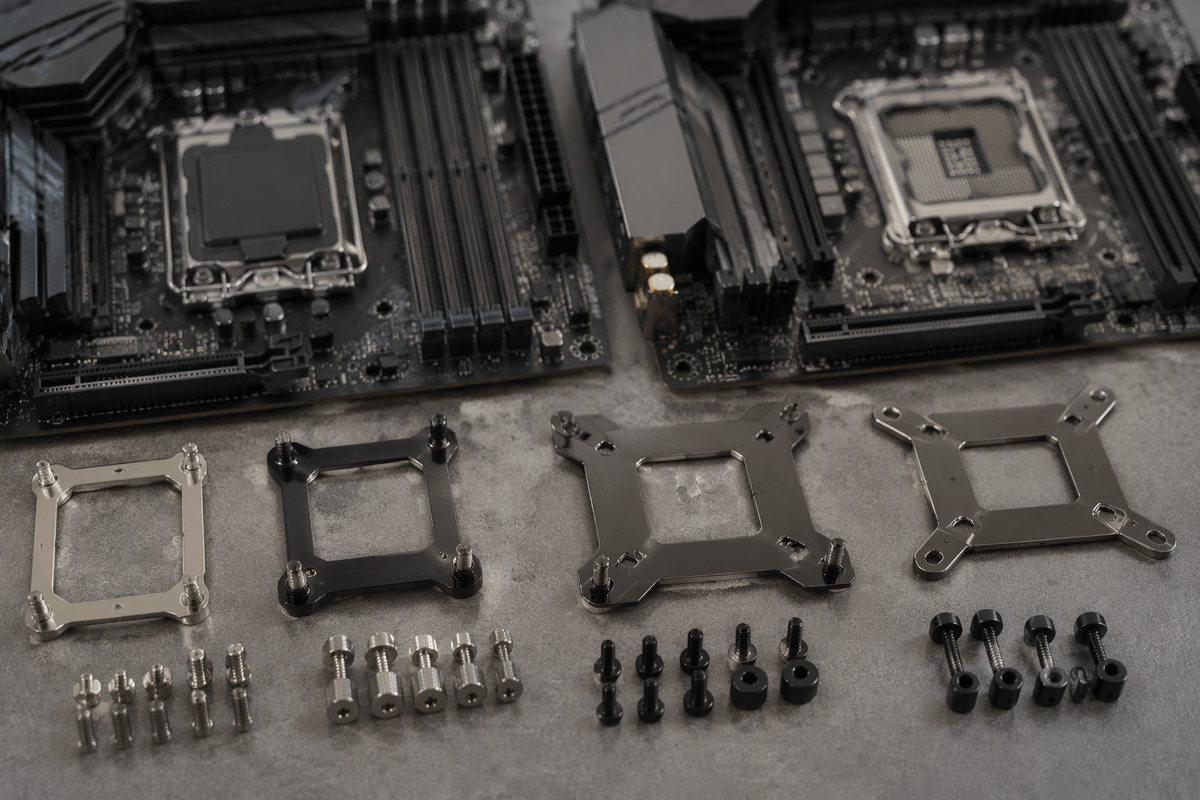
The most common “this cooler is great” failure is simple geometry. Start with your case’s CPU cooler height limit (usually listed in millimeters) and compare it to the cooler’s total height, then leave a little margin for side-panel bulges or sound-damping foam. For AIOs, do the same with radiator support: your case might “support 360mm” but only in the front, or only with slim fans, or only if the GPU isn’t unusually long.
RAM clearance is the next trap. Many tower coolers overhang the first DIMM slots; tall heat spreaders can force you to raise the front fan, which can push the cooler past your case height limit. Look for coolers that specify RAM clearance, or plan on low-profile memory if space is tight. Also check socket support and bracket versions—AM4 vs AM5 and LGA1700 vs newer Intel sockets can require different hardware. Missing brackets are fixable, but it costs time and sometimes extra money.
Air cooling: when a simple tower cooler is the best buy
If your CPU is midrange, your case has decent airflow, and you want a “set it and forget it” install, a tower air cooler is often the best value. A good single-tower with a 120mm fan can comfortably handle typical gaming and everyday workloads on 65W–125W-class CPUs, and a larger dual-tower design can compete with many 240mm AIOs in real use—especially when the workload is bursty rather than hours of all-core rendering. You also avoid pump noise, liquid evaporation over years, and radiator fit headaches.
The trade-off is physical space and airflow planning. Big towers can block tall RAM, hang over the top PCIe area on smaller boards, or force the front fan upward, which can break your case height limit. They also dump heat into the case, so you’ll want at least one solid rear/top exhaust fan. Price-wise, the “sweet spot” is usually a well-reviewed tower rather than the biggest model a brand sells.
AIO water cooling: where it wins, and where it doesn’t
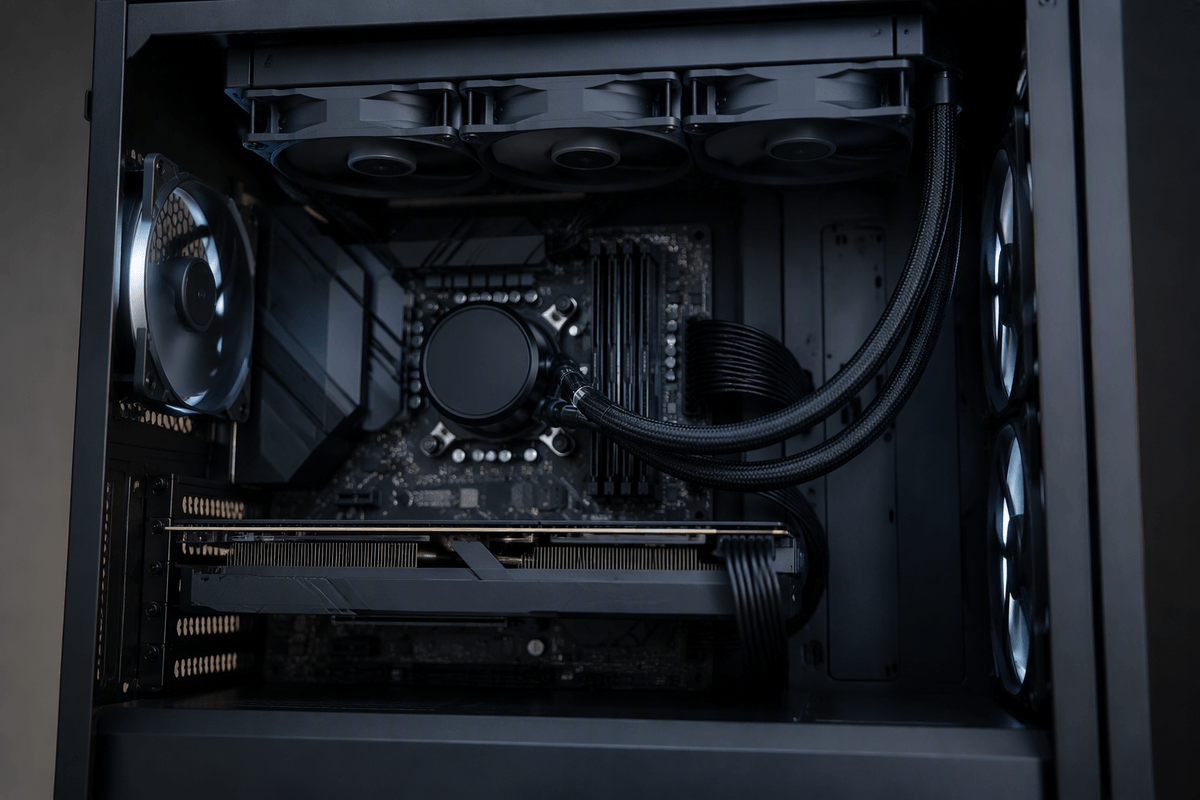
An AIO can make sense when your CPU is genuinely high-power in sustained loads, or when your case simply can’t fit a tall tower cooler but does support a 240mm or 360mm radiator. Moving the heat to the case edge can also help overall airflow planning, and top-mounted radiators are a clean option in cases with limited front intake space. Another practical win is RAM and PCIe clearance around the socket—most AIO blocks are low-profile, so you avoid the “front fan pressed against tall memory” problem.
Where AIOs don’t automatically win is noise and value. The pump adds a constant tonal sound that some people notice more than fan whoosh, and many AIOs ship with fans tuned for radiator pressure, not quiet case airflow. They also cost more for the same real-world temperatures, and they add long-term risks: pump failure, gradual coolant loss, and the hassle of replacing the whole unit instead of a single fan. Fit checks matter too: radiator thickness, tube routing, and whether a top rad will clash with motherboard heatsinks.
Noise, fans, and airflow: the comfort factor you’ll notice
You can have “good temps” and still dislike your PC if the cooler forces high RPM or produces an annoying tone. Fan noise is usually a smooth whoosh that ramps with load, while pump noise on AIOs can be a steady hum or whine you notice at idle. Two larger fans spinning slower often sound better than one smaller fan spinning fast, so a 140mm-tower or a dual-fan tower can feel quieter than you’d expect at the same temperature. Also watch for bearings: good PWM fans tend to stay pleasant at low speeds, cheap ones can click or buzz.
Airflow is the multiplier. A strong cooler in a stagnant case still needs higher fan speeds, which raises noise. Aim for a simple path: front/bottom intake and rear/top exhaust, with at least one exhaust fan if you use a big air tower. With AIOs, top exhaust radiators often keep GPU temps steadier, but front-mounted radiators can warm intake air. The practical cost here is time: tuning a fan curve in BIOS can matter more than buying the next cooler up.
A quick decision checklist to buy with confidence
If you want a fast, confident pick, run this checklist before you buy: (1) Confirm your CPU socket and that the box includes the right bracket. (2) Check fit: case CPU cooler height for air, or radiator size/thickness and mounting position for AIO. (3) Check RAM clearance (especially tall heat spreaders) and motherboard top-heatsink clearance for top radiators. (4) Match cooling to workload: gaming and mixed use usually favors a good tower; long 200W+ all-core loads often justify a 240/360mm AIO. (5) Decide your noise tolerance (pump tone vs fan whoosh). (6) Budget for one extra quality case fan and 10 minutes to tune fan curves.