A cyberattack is a business event, not just IT
A cyberattack rarely starts with servers. It starts with a normal business moment: someone approves an invoice, clicks a “shared document,” or reuses a password to get through the day. The impact also lands in business terms—missed orders, delayed payroll, angry customers, contract penalties, and executives making time-sensitive decisions with incomplete information.
That’s why “being prepared” can’t live only in the IT queue. You need clear choices from operations and leadership: what downtime costs per day, which systems must come back first, who can authorize taking systems offline, and who speaks to customers, banks, and employees. The practical constraint is time—during an incident you won’t have hours for debate, and outside an incident you won’t get unlimited budget, so you have to decide priorities while it’s calm.
Know what you’re protecting and what would hurt most
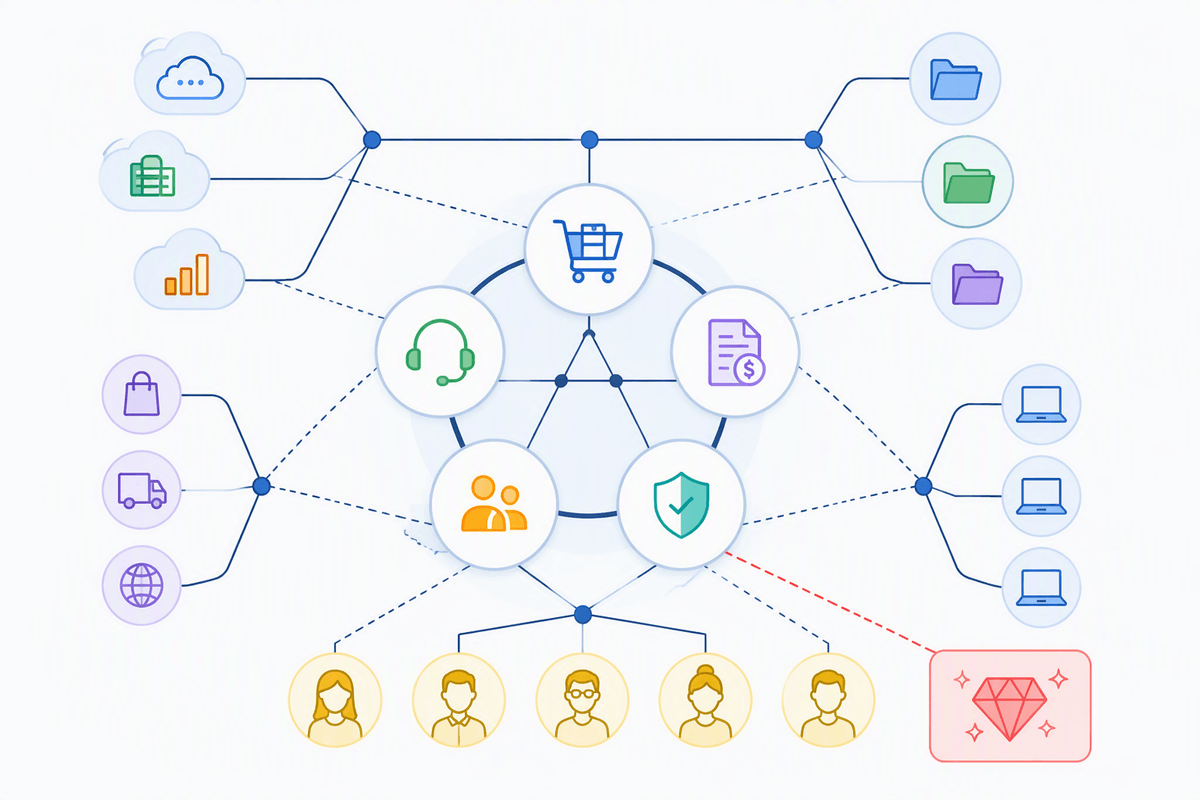
Picture a Monday morning where your email works, but you can’t ship because the order system is down, or you can ship but can’t invoice because accounting is locked. Those are different failures with different consequences, and “we got hit” doesn’t tell you which one will hurt. Start by listing the handful of business functions that keep revenue and trust intact: taking orders, delivering service, getting paid, paying employees, and meeting any regulatory or contractual obligations.
Then map each function to the minimum set of systems and data it depends on—software, cloud tools, shared drives, laptops, vendor portals, and the people who hold the keys. Include “crown jewel” data like customer lists, bank details, payroll files, and signing authority. Put rough numbers on pain: dollars per day of downtime, legal exposure, and reputational damage. The limitation is that you can’t protect everything equally, so this exercise is how you earn focus and budget.
Close the easiest doors attackers use first
Most successful attacks don’t use exotic tricks; they walk through the same few doors: stolen passwords, weak remote access, unpatched software, and email tricks that get someone to “just log in.” Start with access. Turn on multi-factor authentication everywhere you can (email, payroll, accounting, cloud storage, admin tools), and stop sharing accounts so you can disable one person without breaking a whole department. Remove admin rights from daily user accounts, and use separate admin logins for IT tasks.
Then tighten the basics that quietly reduce odds. Patch operating systems, browsers, and common apps on a schedule you can actually keep, and retire anything that can’t be updated. Lock down remote access: no open RDP to the internet, require a managed remote tool, and limit who can connect. Put email filtering and a “report phish” button in place, but plan for some misses—add a simple rule: if money, credentials, or bank details are involved, verify out-of-band. The cost is discipline: these steps are boring, but they’re cheap compared to downtime.
Make ransomware survivable with backups you can trust

Most ransomware incidents turn into existential crises because the business discovers—too late—that the “backup” is either missing, encrypted too, or impossible to restore fast enough. A survivable plan starts with separating backup from the systems you run every day. Keep at least one copy offline or immutable (your IT provider can help here), and make sure backups cover the data you actually need to operate: accounting, order history, customer records, shared drives, and the configuration for key systems—not just individual laptops.
Then test restores on a schedule. Not a checkbox test; a real one where you restore a file set and one critical system to confirm it boots, permissions work, and the data is current. Write down recovery targets in business terms: “We can invoice within 24 hours” beats “we have backups.” The practical constraint is time and storage cost—good retention and offsite copies aren’t free—so prioritize the systems tied to revenue and payroll first.
Turn employees into sensors with simple, repeatable habits
Employees are already in the blast radius: they see the weird invoice, the “urgent” CEO request, the vendor email asking to change bank details. The goal isn’t to turn everyone into security experts; it’s to make reporting frictionless and consistent. Give them one button or one address to forward suspicious messages, and a rule that nobody gets punished for a false alarm. Publish two or three “stop-and-check” triggers: unexpected password resets, new payment instructions, and links to shared files that require a login.
Make it repeatable with short scripts. “I’m verifying this request—call me at the number on file” works for vendors and internal requests. Run a five-minute drill monthly: show a real-looking example and ask what they’d do. The constraint is attention; long trainings get ignored, so keep it brief, frequent, and tied to money and access.
Decide now how you’ll detect, contain, and communicate
You don’t need a fancy security operations center to detect trouble, but you do need a few signals you trust. Decide where “something is wrong” will show up first: Microsoft 365/Google admin alerts, your EDR/antivirus console, firewall login alerts, and a shared inbox for employee reports. Make sure those alerts go to at least two people (IT plus an operations backup), and write down what counts as an incident worth waking someone up for: unusual admin logins, mass file changes, new mailbox forwarding rules, or a vendor payment change request.
Containment is where plans usually fall apart because nobody knows who can pull the plug. Pre-authorize actions like disabling a user, forcing password resets, blocking a device, and taking a server or remote access tool offline—even if it causes temporary downtime. Then decide communications in plain language: one internal message to stop risky behavior (don’t log in, don’t reboot, don’t “fix” it), one customer-facing holding statement, and one path for contacting your bank and key vendors. The constraint is speed: you won’t have time to wordsmith under pressure.
Line up vendors, insurance, and legal support before you need them
A common failure mode is scrambling for help while systems are down: you’re calling random firms, negotiating rates, and trying to explain your environment from memory. Pre-select an incident-response partner (your MSP, a forensics firm, or both) and get a simple retainer or at least written terms, escalation contacts, and expected response times. Make sure they can help with Microsoft 365/Google, endpoints, and backups—not just “investigation.” Keep a one-page vendor sheet with after-hours numbers for your IT, ISP, firewall provider, cloud apps, payroll, and your bank’s fraud line.
Insurance and legal are the other two pieces people delay. Review your cyber policy now: what triggers coverage, required controls (like MFA), panel vendors you must use, and notification timelines. Have counsel lined up for breach and extortion decisions; the cost is small compared to a misstep that increases liability or voids coverage.
A practical 30-day prep plan you can actually finish
Start with a calendar, not a wish list. Days 1–7: turn on MFA everywhere, remove shared accounts, and lock down admin rights and remote access. Days 8–14: patch the obvious gaps, retire anything that can’t be updated, and confirm email filtering plus an out-of-band verification step for payments. Days 15–21: implement an offline or immutable backup copy, then run one real restore of a critical system and document “what good looks like” in hours, not features. Days 22–30: write a one-page incident checklist, set alert routing to two people, and finalize your vendor/insurance/legal contact sheet.