Why decent writing still feels harder than it should
Decent writing often feels harder than it should because most of us write while thinking about everything else: what the reader expects, what we can’t say, how fast we need a reply, and whether we sound competent. Under that pressure, small issues stack up—missing words, tangled sentences, inconsistent tense, and vague “this/it/they” references that made sense in your head but not on the page.
The annoying part is that you usually can’t see these problems until after you hit send, or when someone replies with confusion. Fixing them manually takes time you don’t have, and overcorrecting can make you sound stiff. That’s the gap tools like Grammarly try to fill: catching the easy-to-miss basics while you focus on the message.
The exact problems Grammarly helped me spot first
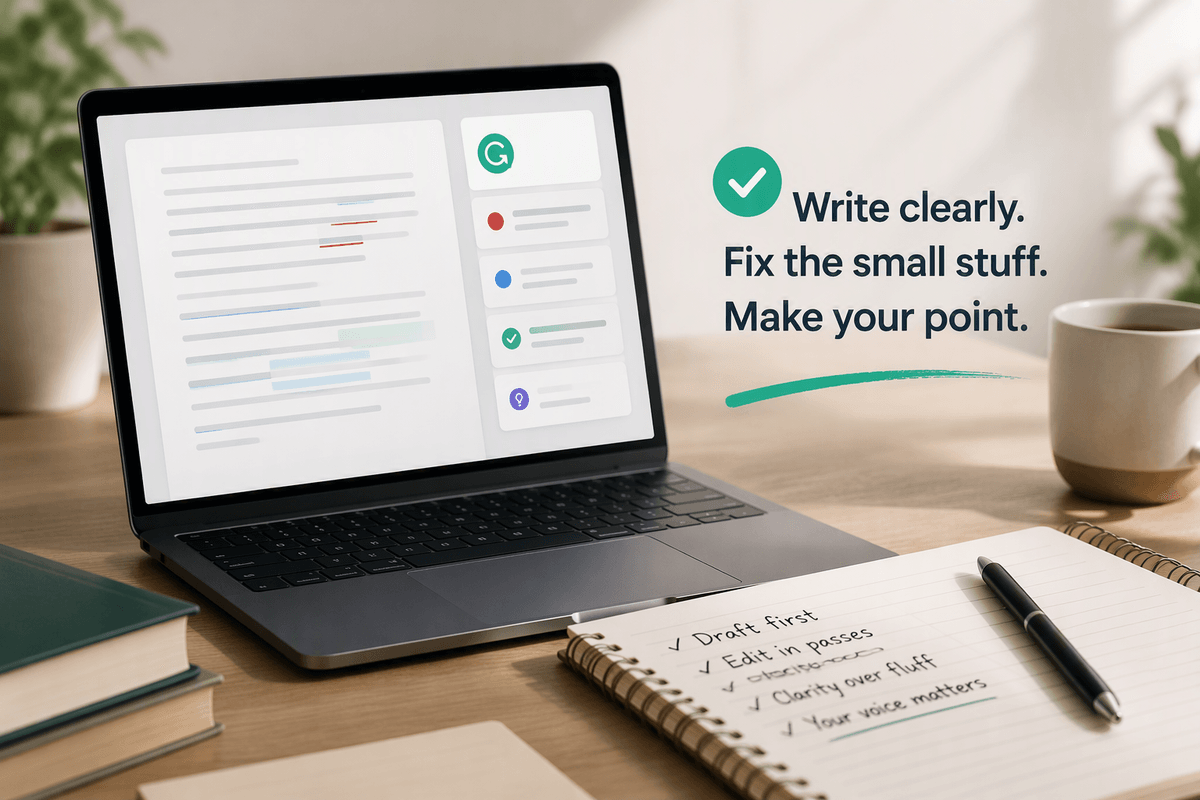
The first value I got from Grammarly wasn’t “better style.” It was noticing repeatable patterns I kept missing. The biggest one was dropped words and tiny grammar slips that happen when you revise mid-sentence—missing articles, mismatched subject-verb agreement, or a sentence that never fully lands. It also flagged vague references (“this,” “it,” “they”) where I knew what I meant, but a reader could reasonably ask, “This what?”
Right behind that were clarity issues: long sentences with too many clauses, and weak verbs that made confident points sound tentative. The suggestions didn’t always give me the right rewrite, but they reliably pointed to the line that needed attention. The practical limitation is time: if you accept fixes mechanically, you can clean up errors fast and still end up with writing that doesn’t sound like you.
Getting set up so suggestions match your real goals

You’ve probably seen Grammarly “recommend” a lot of changes that aren’t actually mistakes. That’s usually a setup problem, not a writing problem. Before you trust the suggestions, tell it what you’re trying to do: pick the document type (email, academic, general) and set your intent—do you want concise and direct, or warmer and more detailed? If you’re writing for a class, the academic setting will tolerate longer sentences and formal phrasing. If you’re writing to a coworker, you may want fewer formality nudges and more clarity checks.
I also turn off or downrank anything that pushes me toward buzzwords or “corporate smoothing.” The cost is a few minutes up front, but it saves you from fighting the tool on every paragraph—and it keeps your default voice intact.
A simple workflow: draft first, then edit in passes
The easiest way to avoid robotic writing is to separate writing from editing. When I’m drafting, I ignore Grammarly almost completely. I’ll jot messy sentences, repeat words, and leave placeholders like “add example here.” That keeps momentum, and it prevents me from rewriting the same opening line five times because a suggestion feels “off.” If you’re on a deadline, this matters more than style—finishing a complete draft is the bottleneck.
Once the draft exists, I edit in quick passes with different goals. First pass: correctness (spelling, missing words, obvious grammar). Second pass: clarity (split overloaded sentences, replace vague “this/it,” tighten wordy lines). Third pass: tone and consistency (hedging, formality level, repeated phrases). Grammarly is most useful in pass one and two, where it reliably points to concrete issues. The practical constraint is attention: after 20–30 minutes, you’ll start accepting fixes just to clear the sidebar, so break it up or stop when you notice that happening.
Knowing which suggestions to accept, skip, or rewrite

You’ll get the best results when you treat each suggestion as a question, not a command: “Is this actually wrong, or just different?” I accept anything that fixes a clear error (typos, missing articles, subject-verb agreement) because it rarely changes meaning. I also accept clarity fixes when they reduce reader effort without changing the point—splitting a long sentence, replacing a repeated word, or naming what “this” refers to.
I skip suggestions that “improve” my voice into something blander: swapping specific verbs for safer ones, adding filler transitions, or flattening a direct sentence into a softer one when I’m intentionally being crisp. When Grammarly flags tone, I usually rewrite instead of accepting. The suggestion might be technically smoother, but it often misses context—like when a short sentence is meant to sound decisive, not cold. One practical constraint: rewriting takes time, so I reserve it for sentences that carry the main ask, claim, or takeaway.
Using tone, clarity, and consistency features responsibly
You’ll notice the tone and “rewrite for clarity” features work best as alarms, not autopilot. If the tone meter says “confident” but your message is actually a gentle request, you’re not obligated to chase the score—adjust the one or two sentences that could be misread. A practical way to use it: recheck the subject line, the first sentence, and the final ask, because that’s where readers form their impression and decide what to do.
Clarity rewrites are useful when they shorten the path to meaning, but they can also remove helpful specifics. If a suggestion makes a sentence “cleaner” by deleting a qualifier you included for accuracy, keep the qualifier and tighten elsewhere. Consistency checks (spelling style, capitalization, hyphenation, terminology) are the quiet win for longer docs, but they take setup—pick one term (“client” vs. “customer”) and stick with it on purpose, not by accident.
Where Grammarly falls short—and how to avoid overreliance
You’ll still run into moments where Grammarly can’t know what matters: your audience’s norms, the unstated politics of a workplace, or the difference between “direct” and “rude” in a tense thread. It also struggles with domain language—legal, medical, technical, or class-specific terms—and it can confidently suggest edits that subtly change meaning. That’s why I don’t use it as the final judge for key sentences like commitments, numbers, deadlines, or anything that could be quoted back at me.
The practical trap is optimization: chasing a cleaner score until your writing loses edge and specificity. When you feel that happening, pause the suggestions and do one human check: read it out loud and ask, “Would I actually say this?” If not, keep the original intent and rewrite in your own words.
A realistic path to better writing after the first week
After a week, the real benefit is pattern recognition. You start spotting your usual issues before Grammarly does: the sentence that’s trying to do too much, the fuzzy “this,” the hedging that weakens your point. Keep it simple: pick one focus per week (clarity this week, tone next) and save a short “before/after” note for a few edits so you can reuse your own phrasing later.
Don’t aim for zero alerts; aim for fewer rereads from your reader. Use Grammarly to catch slips, then do one final human pass on the lines that carry stakes: the subject line, the ask, the deadline, the number, the promise.